
Soft Cleaner is (License: Free) very powerful computer optimization as well as cyber security software. 100% speed up your slow PC quickly and stability in your system performance without adding extra hardware components and without tweaking your computer. Check it out and tell your friends..

How to work?
Mandatory: Right click Soft Cleaner select 'Run as administrator'.
*** Before optimization: Close every other opened foreground programs first, including browsers, word, video files, notepad, photo editors, software development editors, movie maker or screen recording programs.
If you are a first time user or your PC is that much very slow or time taking to load ‘System Optimization’. Wait until load ‘System Optimization’ then open CPanel, go to ‘PC Optimize - Speed up’. Do simply 'Analyse' then 'Optimize'.
Now your computer system transforms a very better speed performance than before and right through.
If you are a regular user you can directly use ‘Virus Cleaner’ and make sure that no file names saved in appropriate text file.
Virus Cleaner and Game Booster: Powerful cleaner and basement optimization including special file cleaning and for PC games boost purpose. You need to write file path on ‘Soft Cleaner - Virus Cleaner.txt’ on desktop. If not specified any file path too, this includes adequate optimization than ‘PC Optimize - Speed up’.
Version: 11.8.20.7 Frequently Asked Questions
System Requirement
Recommended 64
Bit OS: Windows 8/10/Server, 32/64.
About Windows
7:
Windows 7 Ultimate
64 SP1-IE11(Latest Service Pack/Latest Versions/.NET
Framework.)
Install Soft Cleaner from Microsoft Store - License: Free.
Or download Soft Cleaner from here - License: Free.
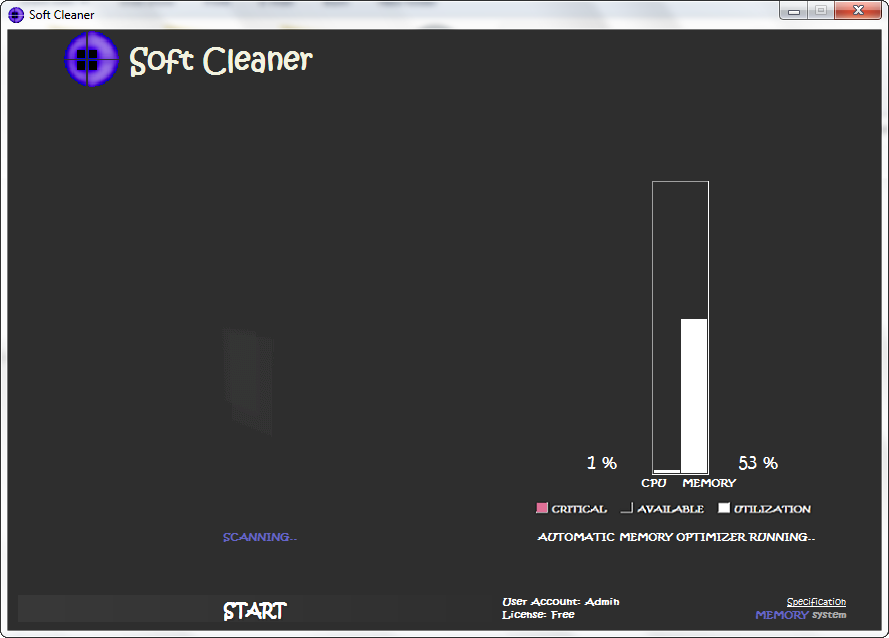
Automatic Memory Optimizer: It activates during the system optimization process and stops when you exit the program. After completion of system optimization, you either stay same interface or go to ‘Close’ next to ‘Optimize’ command there and reaches main screen. Although you can Minimize the program. Advantage of this tool is to continuously optimize whole process memory automatically in the background. So that you can very easily work on your computer and always it brings very fast access, even running PC games, high memory and CPU usage programs, internet browsing as well as compatible server machines whole day. Meanwhile you can put your computer in sleep mode too using this.
(You can see manually all programs resource usages from ‘Task Manager – Memory’.)
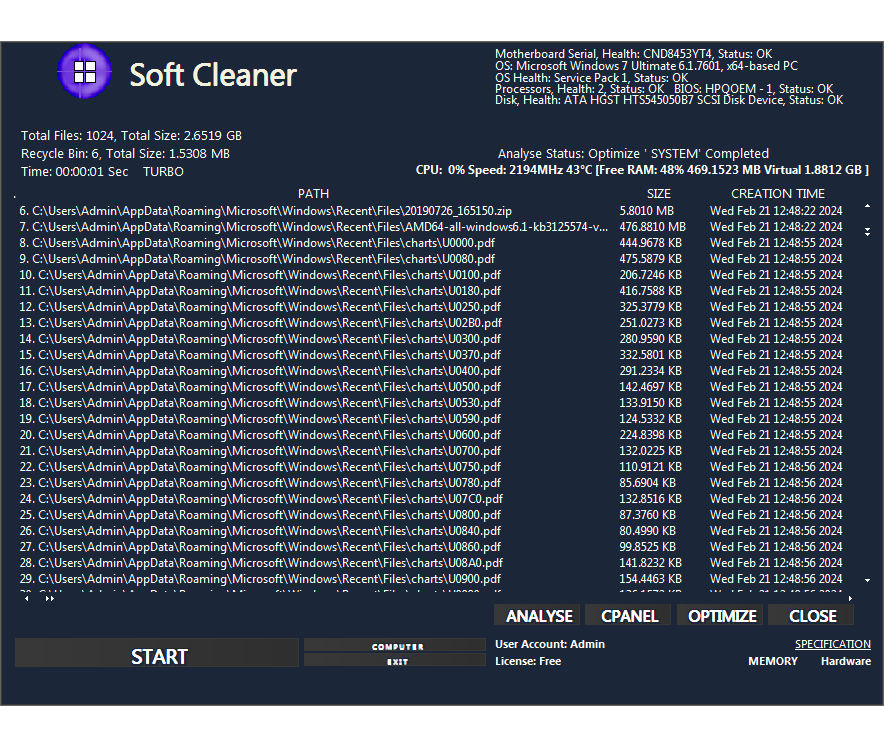
TURBO – Increase cyber security. Top level system optimization.
About TURBO: Best for 1/2 times in a week or immediate in any security compromise reached.
The working functionality alters processing speed with respect to BASE, Virus Cleaner, TURBO.
Note: It already removed some 'Kernel Mode Rootkits' successfully with TURBO. Hence you can go for a try if you attempted several times before.
Suitable for every home and office computers includes software development computers.
Advanced Features
• PC OPTIMIZE AND SPEED UP UTILITY
• Broadcast Health Status: Motherboard, OS, Processors, BIOS, Disk
• Secure internet privacy, Instant speed boost, Smooth SSD/HDD long life
• Validate slow responding peripherals, Increase boot speed
• Speed up your browsing, Patch cleaner, Fewer errors and crashes, More disk space
• Energize entire system resources, High powerful system cleaner
• Optimize client and server systems, Faster access and increases work rate
• Clean internet traces - Chrome, Firefox, Internet Explorer/Microsoft Edge, Vivaldi, Opera, UC Browser, Safari, Chromium
• PC Optimize - Speed up BASE OPTIMIZATION: Memory Optimizer, Optimize I/O speed - RAM - Working processes - Virtual Memory
••• Tools
• Multi
- FilesSearch - Search multiple and
disordered/inaccurately named files *Free: Limitation in system
drive
• Virus Cleaner and Game Booster - Clean numerous virus/sticky files, 'File Shredder', Game boosting
• Automatic Memory Optimizer - Sustain your PC performance always powerful and fast while you working on normal to high memory and CPU usage programs
••• TURBO - Increase cyber security. Top level system optimization. Automatically removes every hidden spy entrances inside your computer system and tighten robustness
PC OPTIMIZE AND SPEED UP UTILITY
Scan your PC login times and date loginTimer Trial/Pro $30 - Lifetime use up to 12-12-2099.
Multiple Files Search Engines: Multi - FilesSearch

Powerful search up to ten different files at a time with ten different keywords. High speed search filter. Case sensitive search analysis.
Details will be stored on your desktop ‘Soft Cleaner Multi - FilesSearch.txt’. Multi - FilesSearch searches exact files and the very near matches from keywords.
Search different
types or all similar files at a time.
Example 1: bmp,
*.jpg/.jpg/., service, gif, documents, 2019, movie eng, setup,
help.html, song.mp4
File name: 182019.png or 182019photo
Example 2: 18 2019, png, photo/2019, png/19, png, photo/82, png
Search Path: C:\
Sensitive
Highly case Sensitive search for a single or exact file with ten different keywords.
Search one or
particular file (filename:
searchhost/hostsearch/aerolite.dll/dllaero.lite/litedll.aero)
Example 1: search host
Example 2: Aero, dll, lite
Example 3: lite aero dll
Example 4: aero,
dll
Example 5:
lite
Search Path: C:\
Learn more Multi -
FilesSearch


How to Remove Leftover Files after Uninstalling Apps
Suppose you uninstalled an application “app1.exe” or “app1”. Watch this video
Steps:
Note: Only one drive Analyse at a time. Quotes (“) must exclude in file search even path and name.
 Share
Share Tweet
Tweet Pin
Pin Email
Email Share
Share Share
Share Share
Share Share
Share Share
Share Share
Share Share
Share Share
Share Share
Share Share
Share Mark
Mark Email
EmailCopyright ©2012-2020, All other marks are the property of satheeshsoft.
